Loyalty, stamp cards & vouchers
Loyalty programs reward regulars and give customers a reason to come back to you rather than shop around. You set the rules; the system tracks each customer's progress automatically and hands out the reward as a voucher the customer can use when it suits them.
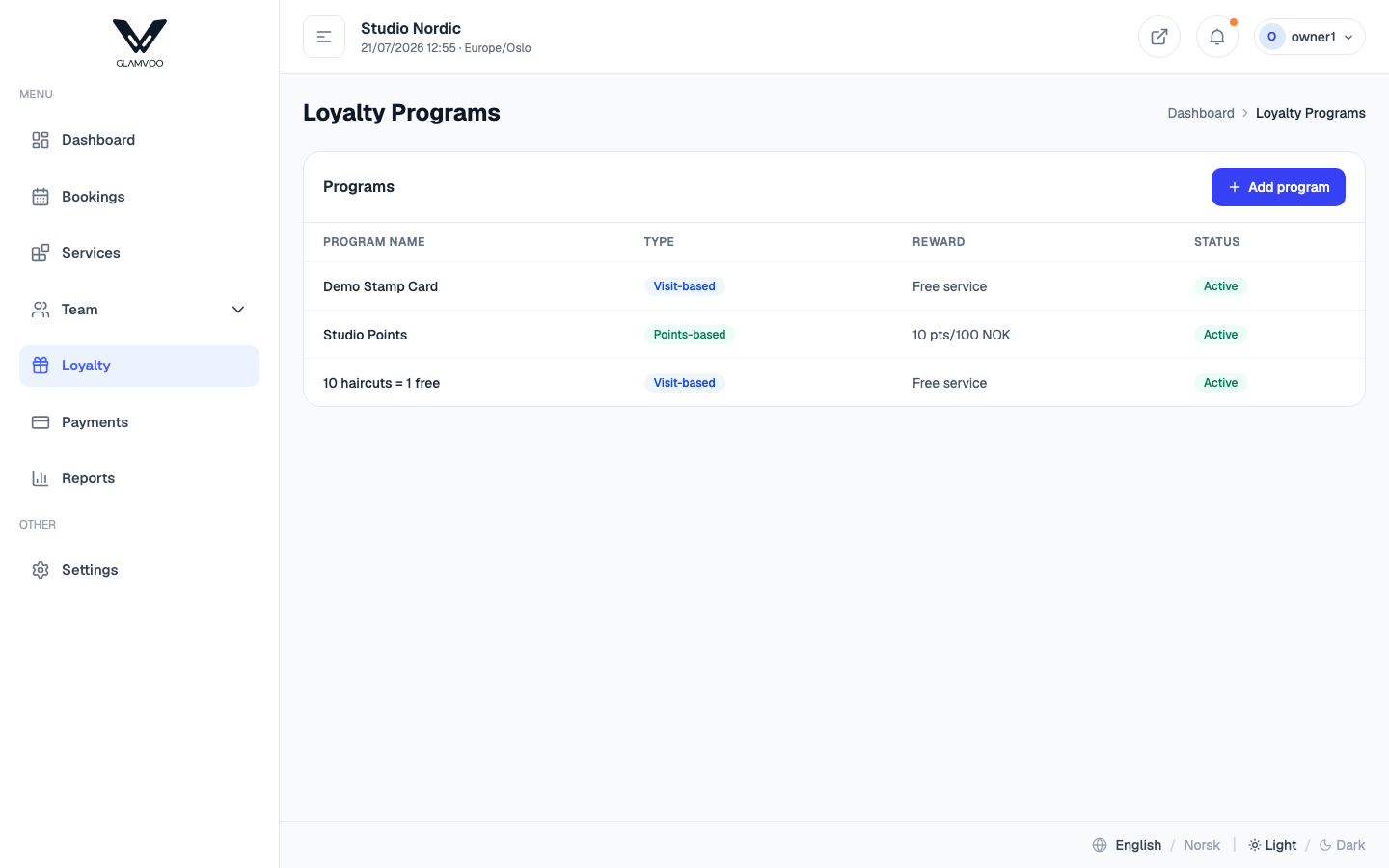
Two kinds of program
You can run either style — or both:
- Visit-based (a stamp card) — customers earn a stamp per qualifying visit and get a reward once they reach the number you set. Think "collect stamps, get a treat."
- Points-based — customers earn points as they spend, and redeem them later.
Create a program
- Select Add program.
- Give it a name and choose the type (visit-based or points-based).
- For a stamp card, set how many visits it takes.
- Set the minimum booking value and the voucher validity (see below).
- Choose the reward: a percentage discount, or a free service, and the services the reward applies to.
- Save, and set it Active when you're ready.
What earns a stamp
One completed booking = one stamp — no matter how many treatments were in it. What decides whether it counts is the minimum booking value: a visit has to be paid at least that much to earn a stamp. Leave it empty and every completed booking earns one.
That's deliberate: a stamp card rewards coming back, and counting per visit keeps it honest for both sides — a customer can't collect three stamps from one sitting, and you can still set a floor so a 100-kr fringe trim doesn't count the same as a full visit.
How long a voucher lasts
Voucher validity (months) sets how long an earned voucher stays usable — say 6 months. Leave it empty and vouchers never expire. A deadline nudges customers back in sooner; no deadline is friendlier. Your call.
Which services the reward applies to
Separately from earning, you pick the services the reward applies to. Leave it empty to mean all services. This is what lets you run "any ten visits → a free wash": earning is wide, the reward is narrow.
A free-service reward must name its services. Without that limit, a card collected on 300-kr haircuts could be cashed in on a 2 200-kr colour — so the system asks you to say exactly what you're giving away.
Points programs work differently. There you set an earn rate, a redeem rate, and — if you want — which services earn points. Points are counted on what the customer actually paid, so an unpaid visit earns none, and a visit qualifies as long as any of its treatments is on the list. Points expiry is its own setting, separate from voucher validity above.
From stamps to a voucher
When a customer completes the card, the system issues them a voucher with its own code (for example STAMP-4K7M-9QX2). Nothing to print, nothing to sign:
- The customer reaches the last stamp on a completed visit that met your minimum.
- A voucher is created in their name and appears in their account on your booking page.
- They use it whenever they like — online, or by giving you the code at the counter.
A voucher belongs to one customer and can be used once.
They're told automatically — tell them at the counter anyway. The moment the card fills, the customer gets an email (and a text, if we have their mobile) with the code, the reward and the expiry date. Seven days before the deadline a reminder goes out, and one last email once the voucher has expired. Even so, "that's your card full, next wash is on us" said across the counter beats any email — inboxes are full, and the customer is standing right in front of you.
Emails only go out while your salon's email notifications switch is on (Settings → Notifications). Turning it off turns off every email, voucher ones included.
When exactly the stamp lands
A visit needs both things before it counts: it has to be marked Completed, and it has to be paid up to your minimum. Whichever happens last is when the stamp appears — so in the usual counter flow (finish the service, mark it completed, then take the money), the stamp lands the moment you take payment.
That also means a completed visit nobody ever paid for earns nothing, which is the point of the minimum.
What a reward is actually worth
Two rules keep the value predictable:
- A free service means one service — never the whole visit. If the visit has several treatments, the voucher covers the most expensive one it applies to, and the customer pays for the rest.
- A percentage discount applies to the part of the bill it covers — the services on the reward list, not the whole ticket.
Products are never discounted — see Products & retail sales.
The rules are frozen into each voucher when it's issued. If you later change what the card rewards, vouchers already in customers' hands keep the deal they were given. New vouchers follow the new rules.
Using a voucher
The customer, online. They enter or pick their voucher on your booking page while booking. They see what it does — "Wash is free" or the amount off — before they confirm.
You or your staff, at the counter. Phone bookings and walk-ins shouldn't miss out on a reward your own salon handed out:
- Create the booking and choose the customer and the services first.
- Enter the voucher code in the voucher field and apply it.
- The footer shows the price after the discount — read that number to the customer.
- Save the booking.
Anyone on the team can do this, the same way anyone can take a payment. If you change the customer or the services afterwards, apply the voucher again — the discount is tied to the exact combination it was calculated for, so it won't quietly show a number that's no longer right.
If the voucher doesn't cover anything on the booking
You'll see a message naming the services the voucher is good for, and the discount isn't applied. The voucher stays unused in the customer's account — nobody burns a whole stamp card for zero kroner. Add a qualifying service, or let the customer keep it for next time.
The life of a voucher
flowchart LR
    A[Available] -->|Applied to a booking| B[Reserved]
    B -->|Booking completed| C[Used]
    B -. Booking cancelled before payment .-> A
    B -. Booking cancelled after payment .-> D[Lost]
    A -. Passes its expiry date .-> E[Expired]
- Available — sitting in the customer's account, ready to use.
- Reserved — attached to a booking that hasn't happened yet. It can't be used anywhere else at the same time.
- Used — the booking was completed and the reward was spent.
- If the booking is cancelled or marked no-show, the voucher goes back to available — the customer earned it, and a cancellation fee or a kept deposit is penalty enough. It isn't taken off them on top of that.
- Once a voucher passes its expiry date (if you set a validity period), it flips to expired on its own and can no longer be used.
Cancelling a visit undoes what it earned
If a visit is cancelled or marked no-show, anything it had earned is rolled back: the stamp from that visit is removed and any points it earned are taken back. A visit that didn't happen shouldn't move a customer closer to a reward — and just as importantly, their card doesn't get stuck a cycle ahead with the reward gone.
Editing a booking that has a reward on it
Change the services on a booking and the discount is worked out again, so the customer never pays a figure that no longer matches what's on the ticket:
- The free service stays pinned to the treatment it was given for, at that treatment's current price.
- Remove the discounted service itself, and the reward goes back to the customer — it isn't slid onto another, possibly more expensive, treatment. Their voucher becomes available again, or their stamps are returned.
What the customer sees
On your booking page, signed in to their account, a customer sees their own loyalty section: how many stamps they've collected, which vouchers they hold, when a voucher expires, and which services each one is good for. Vouchers attached to an upcoming booking are shown as reserved.
Your team can see a customer's loyalty status too, so they can say the useful thing at the counter — "one more visit and this one's on us."
A simple stamp card is usually the easiest place to start: familiar to customers, quick to explain, and easy for you to price.
Next: Reports →