Payments & deposits
Salon Booking keeps money and booking status on separate tracks. Moving a booking to Completed doesn't charge anyone — money only moves at specific moments, and you're in control of most of them. This page explains exactly when a customer is charged, when they're refunded, and how to take payment yourself.
Taking card and online payments needs a payment provider connected first (Settings → Payment). Without one you can still run cash-only and record payments by hand. See the go-live checklist.
When is a customer actually charged?
There are only a few moments when money really moves. Everything else (confirming, checking in, completing) changes the booking's status but takes no money.
| Moment | What happens | Automatic? |
|---|---|---|
| Customer books online and you take deposits | The deposit is charged immediately | ✅ Automatic |
| You collect the rest (or the full amount) | You charge the customer — link, terminal or cash | ✋ You choose when |
| Booking is cancelled | The deposit is refunded, kept or voided, per your policy | ✅ Automatic |
| Booking is a no-show | The deposit is kept as a fee, or returned, per your policy | ✅ Automatic |
| You issue a refund | Money is returned to the customer | ✋ You choose |
Confirming, checking a customer in, starting, and completing a booking never charge anyone. They're just status changes. So a Completed booking can be fully paid, part-paid, or not paid at all.
Deposits (online bookings)
A deposit is a part-payment that reduces no-shows. If you switch deposits on in your booking policy:
- A customer books through your public page.
- Before they finish, they see the deposit amount and agree to it.
- The deposit is charged straight away — the money is taken at the moment of booking, not held for later.
- The booking shows the deposit as paid, and the rest as outstanding.
The deposit amount, and when it applies, are yours to set in Settings — so they always match your salon's policy.
In-person bookings don't take an online deposit. When you create a walk-in, phone or counter booking yourself, there's no online deposit step — you simply take payment in person (below).
Taking payment yourself
When the customer pays — whether that's the remaining balance or the whole amount — open their booking and take the payment. You can do this at any point: before the service, during it, or after it's completed.
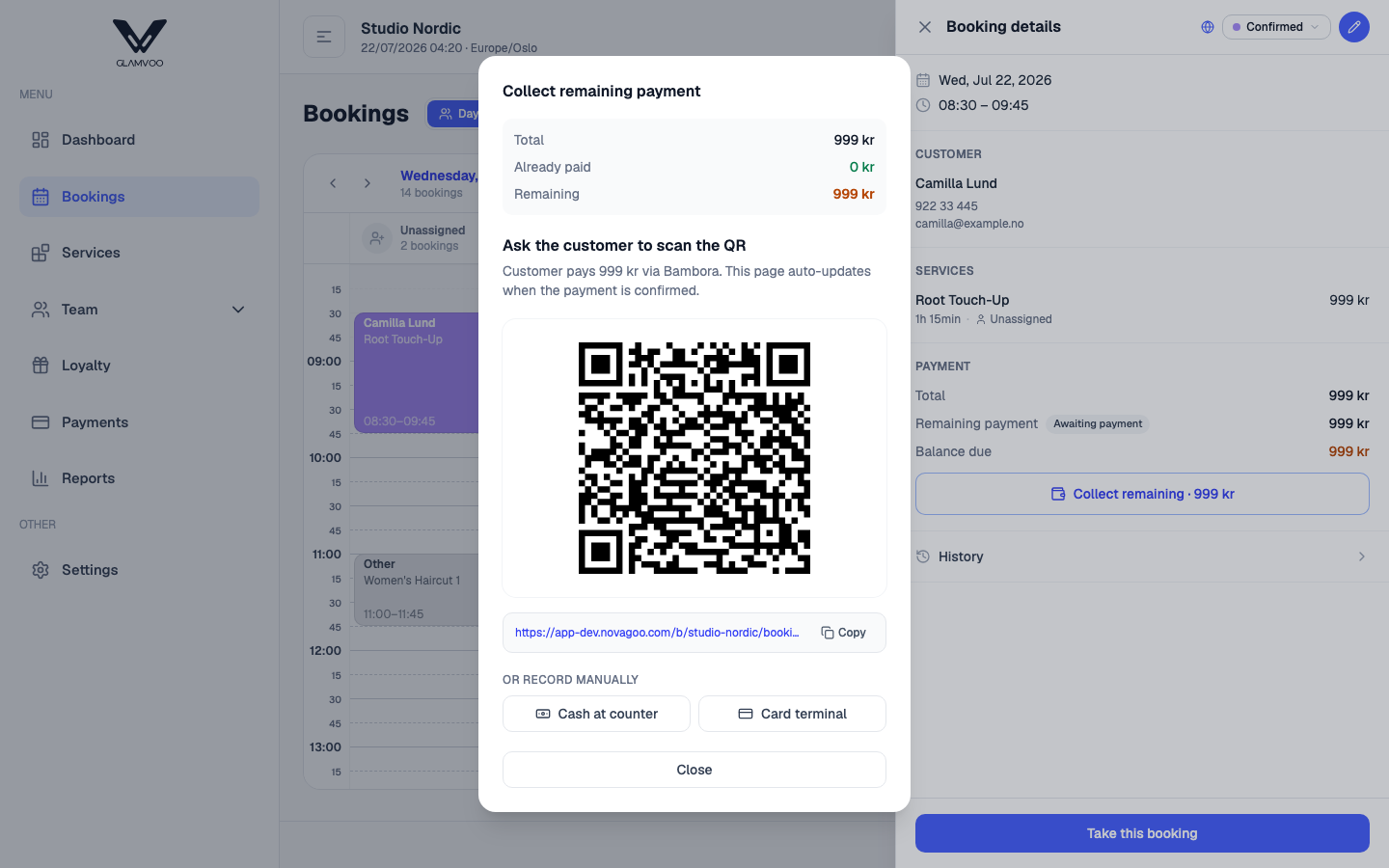
You choose how they pay:
- Card terminal or online link / QR — the customer pays by card there and then, or on their own phone.
- Cash — record it as paid so your books stay accurate.
Once recorded, the booking shows what's been collected — for example Paid: 500 / 800 when part of the total is still due — so you always know what's left to take.
Retail products count too. Anything you've sold with the appointment is already in the amount to collect, and any loyalty discount is already taken off. See Products & retail sales.
Cancellations & no-shows
When a booking with a deposit is called off, the money is handled automatically so you don't have to remember the rules:
- Cancelled by the customer — whether the deposit is refunded or kept depends on your cancellation window and policy (cancel in good time and it's returned; last-minute and you may keep it).
- Cancelled by the salon — the deposit is always refunded in full.
- No show — the deposit is either kept as a fee or returned, depending on your no-show policy.
You set these policies once in Settings, and the system applies them every time.
Refunds
To give money back, record a refund against the original payment — full or partial. A full refund puts any products back in stock; a partial one doesn't, since there's no way to tell which item came back — adjust the stock number yourself in that case. The original charge stays on the record and the refund is added next to it, so your history always shows the complete picture: what was taken, and what was returned. Refunding doesn't change the booking's status; a Completed booking stays completed.
The payments list
The Payments page is your full transaction history — every deposit, capture, void and refund across your bookings, in one place.
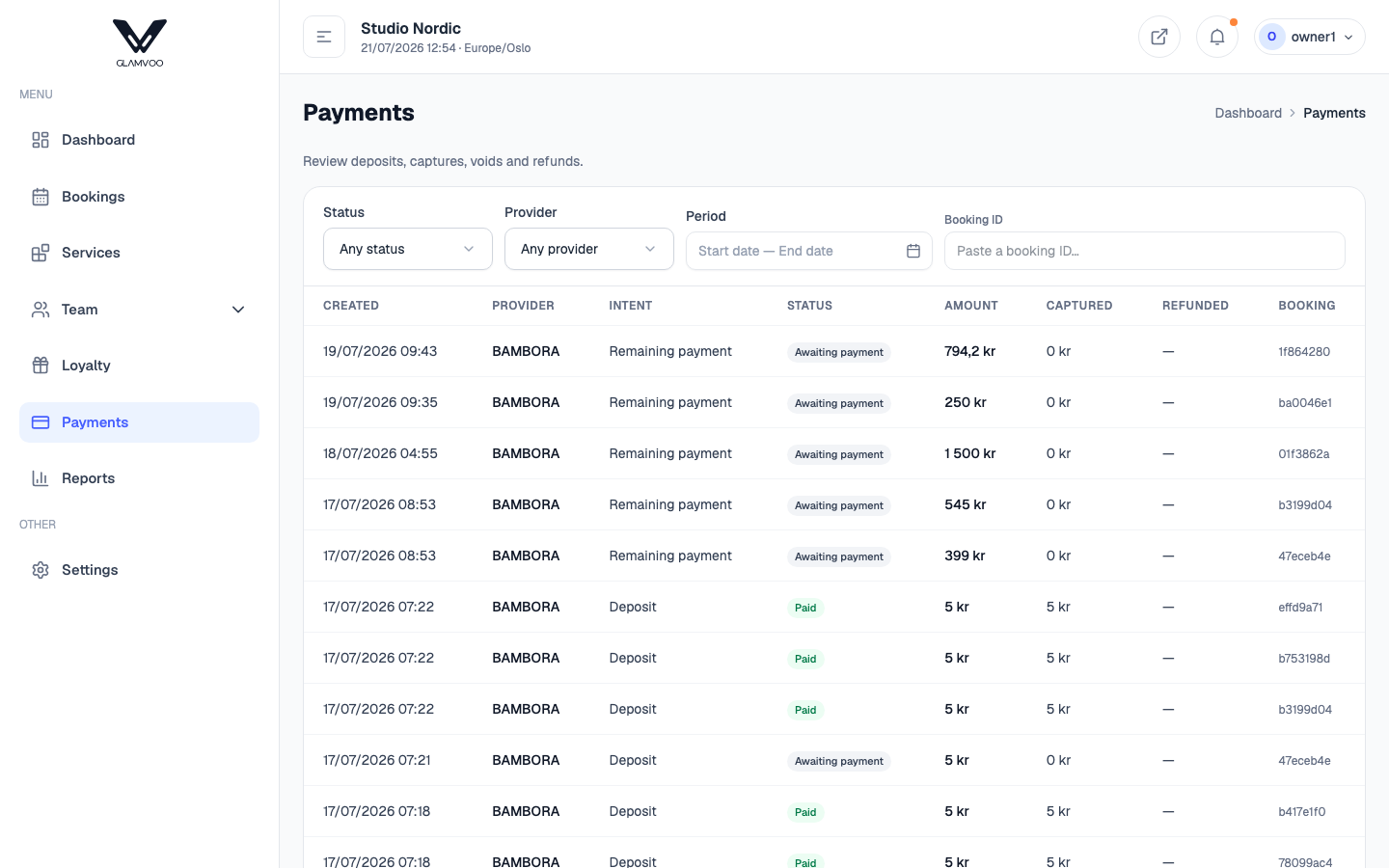
- Filter to find what you're looking for.
- Select Open booking on any row to jump to the appointment it belongs to.
Next: QR check-in →