Dashboard
The dashboard is your home screen — the first thing you see when you sign in. It gives you a quick read on how your salon is doing right now, without digging into any menus.
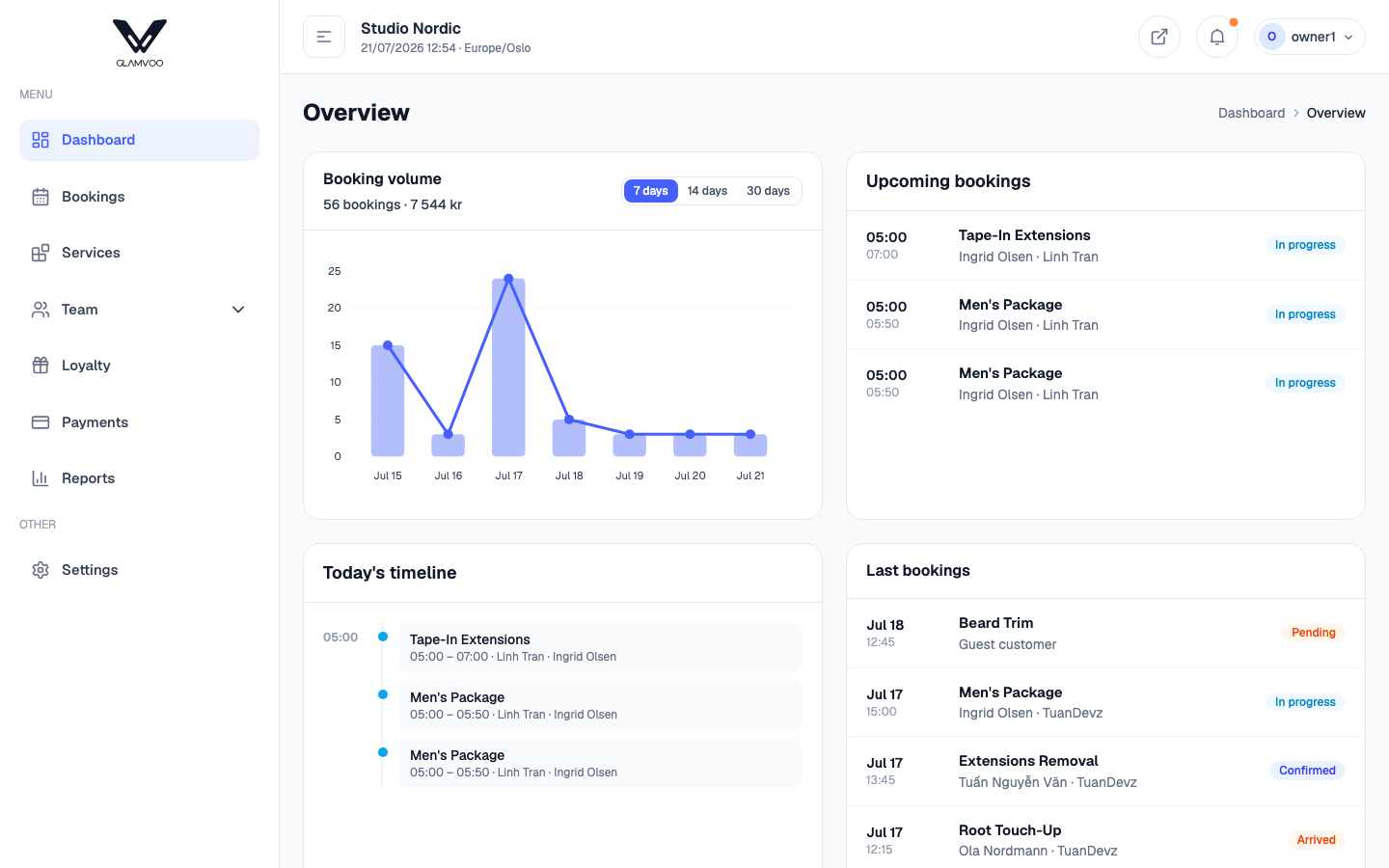
What you'll see
- Booking volume — how many bookings you've had over a recent period, with a simple chart so you can spot busy and quiet stretches at a glance.
- Upcoming bookings — the appointments coming up next, so you always know what's ahead.
- Today at a glance — a snapshot of the day: who's booked in and what's still open.
The dashboard is read-only — it's for seeing, not doing. When you want to act on something (open an appointment, take a payment, add a booking), jump to the relevant page from the menu.
On your phone
The dashboard works the same in the mobile app and in a browser on your phone — the layout just stacks into a single column so it's easy to scan with a thumb.
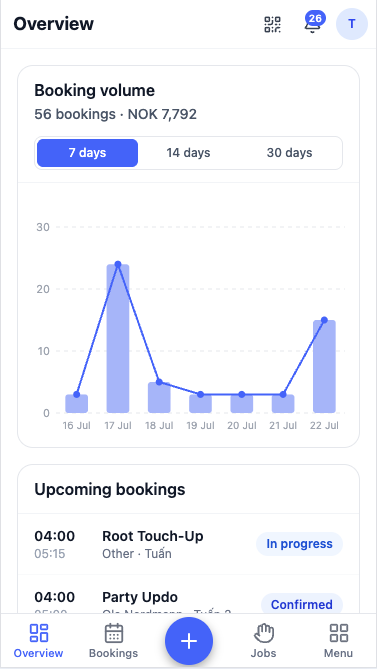
Tip: the dashboard is a great morning check-in. Open it first thing to see your day, then switch to the calendar to work through your bookings.
Next: Calendar & bookings →